Shared Family Sports Calendar: Set One Up That Holds

A shared family sports calendar works when every practice, game and pickup run lands in one place that every adult in the house can see, and when one person owns the updates. The hard part isn’t the tool. It’s that each team, school and league publishes its schedule somewhere different. Athlo (athloapp.com) is a free iOS and Android app built to pull team schedules, chat, forms and a parent view into one account, so you stop copying times between five apps by hand.
Below: what a family calendar should hold, a routine for setting it up, how to handle schedule changes and shared rides, and how to keep kids’ locations private while you share all of it.
TL;DR
- Put every event in one calendar that both parents, and any regular driver, can see. Color-code by kid.
- Each entry needs more than a time: arrival time, exact field or court, what to bring, who drives.
- Choose one owner for updates. Everyone else reads. That one rule kills most double-bookings.
- Reset the calendar at the start of every season and check it once a week.
- Share schedules with family and carpool adults only, and keep locations out of public posts.
Table of Contents
- Why family sports calendars break
- What every calendar entry should include
- Set it up in five steps
- Merging schedules from different teams and leagues
- Handling changes, weather and notifications
- Shared rides and gear handoffs
- Pickup games and community events
- Keeping kids’ information private
- Perspective: what we think a family calendar is really for
- One app for the sources
- A season-start checklist you can copy
- FAQ
- Sources
Why family sports calendars break
Picture the typical week for a family with two athletes. One team posts its schedule in its league app. The school athletics page lists the other. A club sends a PDF. The Saturday pickup basketball run lives in a group text that scrolls away by Tuesday. Add work, homework and a grandparent who wants to come to games, and nobody is wrong when they say “I thought that was next week.”
Pickup game plans die the same way: someone says “see you at 6,” the location changes in a side thread, and half the group shows up at the wrong court. A family calendar is the fix, but only if it gets updated. A calendar that’s right in September and stale by October is worse than no calendar, because people trust it.
So the goal is simple: one place that’s trusted, one person who keeps it current, and entries detailed enough that a substitute driver could run the day from them.
What every calendar entry should include
A bare “Practice 6:00” is how you end up with a kid in the driveway without cleats. Build each entry with these fields:
- Who: which kid. Use a color or a name at the front of the title.
- What: practice, game, scrimmage, tournament, pickup run.
- Start and arrival time: if warm-ups start at 5:45, the entry says 5:45, not 6:00.
- Leave-by time: work backward. A 6:00 practice 25 minutes away with a gear check is a 5:20 departure. Put that in the entry or set a reminder for it.
- Exact location: the field number, court or room, not just the park name. Large complexes have a dozen fields.
- Ride: who drives there, who picks up.
- Gear and extras: uniform color, shin guards, water, snack duty, volunteer shift.
- Link or note: the source schedule, so you can confirm it with one tap.
Two habits make this stick. First, write entries in plain language. “Maya, Tue 5:30 soccer, Field 4, Dad drives, Mom picks up” can be read by a grandparent in two seconds. Second, keep your standard equipment list in one reusable checklist rather than retyping it on every event. Only add the date-specific extras, like the second jersey for a tournament.
Set it up in five steps
This is the routine we’d run at the start of any season.
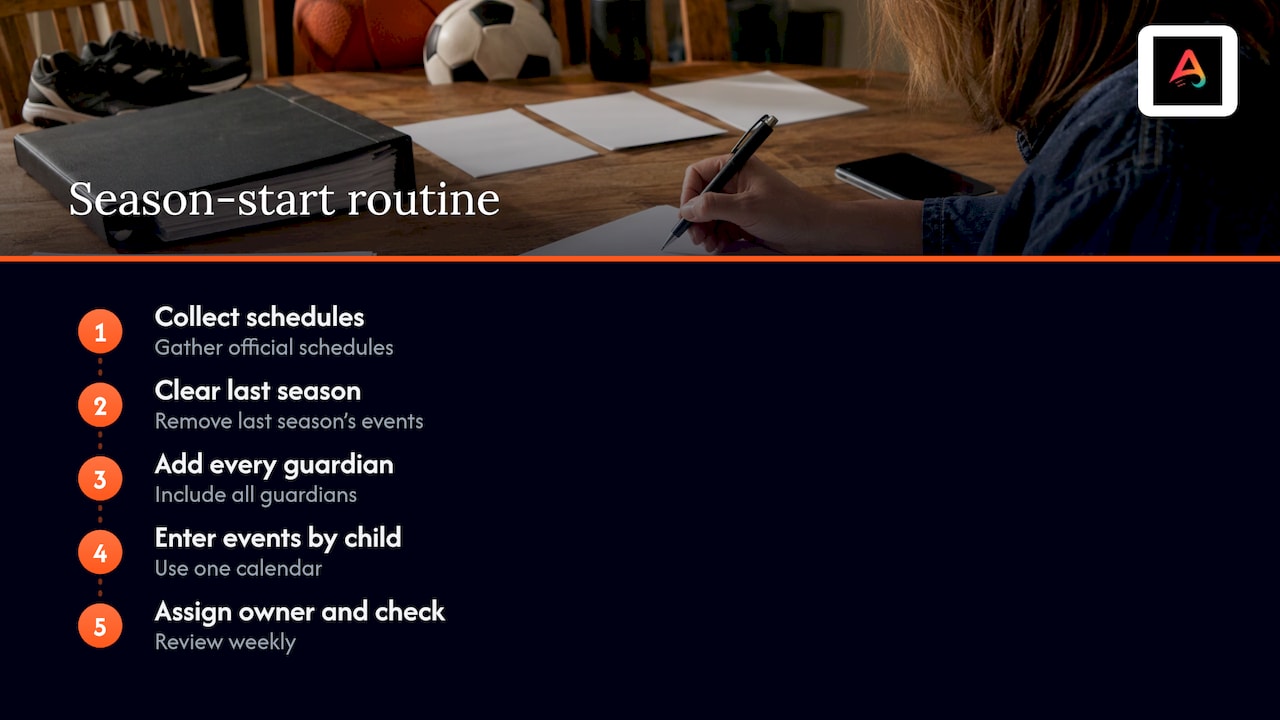
1. Collect the official schedules
Start from the source, not from a text someone forwarded. Many organizations publish the authoritative version in one place: for example, Columbus Soccer Club says its recreational league schedules are available in its team app and on its website, and encourages family contacts to use the app for schedule and weather-change notifications. Find that official source for each team and note where it lives.
Where it goes wrong: parents copy times from a group message, someone typed it wrong, and the error spreads to every phone.
2. Clear out last season
Delete or archive the old recurring events. Old Tuesday practices that no longer exist are a quiet source of “wait, do we have something?” confusion.
3. Add every guardian to the contact list
The same Columbus Soccer Club page says to add all parents and guardians to the family contact list so everyone gets the same notices. Do this for each team. If kids split time between households, both households need the same access, not a forwarded screenshot.
4. Enter events in one calendar, by kid
Pick one calendar the whole household can open and give each child a color. Enter the whole season’s known games at once, then add practices as they firm up. Include the fields from the last section.
If you’d rather not retype, Athlo’s Team Management puts the team schedule, RSVPs, chat and forms in one place, and the parent view lets you handle your child’s sports life from one account. Your child doesn’t need a device or an account of their own.
5. Name an owner and a weekly check
One adult is the owner: they enter changes. Everyone else reads and flags problems. Pick a fixed time, like Sunday evening, to scan the next seven days and confirm rides. Ten minutes beats a Thursday-night scramble.
In that weekly check, mark attendance too. Columbus Soccer Club notes that parents can mark a child attending or not attending a game and add a note, so coaches see attendance in one place. Do it early. A coach planning lineups needs the answer before game day, not at the field.
Merging schedules from different teams and leagues
This is the real pain for families with more than one athlete. A few approaches work:
- Keep a master calendar and treat team apps as sources. Each team’s app is where changes get announced. Your family calendar is where you plan. When a change comes in, update the master the same day.
- Use one hub where you can. If your kids’ teams, or one kid’s team and your pickup games, can live in one app, you cut the number of places to check. That’s the idea behind Athlo: team management, chat, live scores, forms and LinkUp pickup games in one free app.
- Don’t let a screenshot become the schedule. A screenshot is old the minute the league changes a field. Link to the live schedule instead.
- Flag conflicts the day you see them. Two events overlapping is normal. Discovering it Friday is the problem. Ask the coach early which event matters more that week, and tell them what you’re planning.
For a bigger picture on keeping everything straight without constant texting, our parent guide to youth sports schedules walks through the routine in more detail.
Handling changes, weather and notifications
Schedules move. Rain cancels a game, a field gets double-booked, the coach shifts practice by thirty minutes. Your system needs two things: a source that announces changes, and alerts on your end that get your attention without drowning you.
Pick your alert types deliberately. Most calendar apps let you set different reminders per event. A sensible setup:
- Games and tournaments: a reminder the evening before (for gear and food), plus a leave-by alert.
- Practices: one reminder around your leave-by time.
- Team-wide changes: always on, from the official team channel.
One catch worth knowing: shared family calendars in general-purpose apps don’t always tell you when another person edits an event. Check how your own app handles notifications of edits, because a silent change is the one that gets missed. That’s another reason a single owner and a weekly check matter.
Keep team communication in the team channel. Columbus Soccer Club says parents with access to the schedule don’t need to text teammates to share schedule details, and it directs communication through its app rather than private messages. That’s a good rule everywhere. When schedule news lives in one thread, nobody has to scroll through GIFs to find it. If you coach, this guide to parent communication methods for youth coaches covers how to keep updates clear and consistent. And if you want a team chat set up quickly, see how to manage sports team chat in 20 minutes.
Shared rides and gear handoffs
The calendar’s most underrated job is deciding who drives and who has the bag. When kids split time between two households, or three families share a carpool, the driver and the gear owner are often different people. Write both into the entry: “Jordan, Tue 5:30 practice. Driver: Alex. Bag: Sam hands to Alex.”
For carpools with adults who aren’t family, the U.S. Center for SafeSport’s Minor Athlete Abuse Prevention Policies encourage parents and guardians to pick up their minor athlete first and drop off last in any shared or carpool travel. Build that order into your ride notes so it’s the default, not an afterthought.
Pickup games and community events
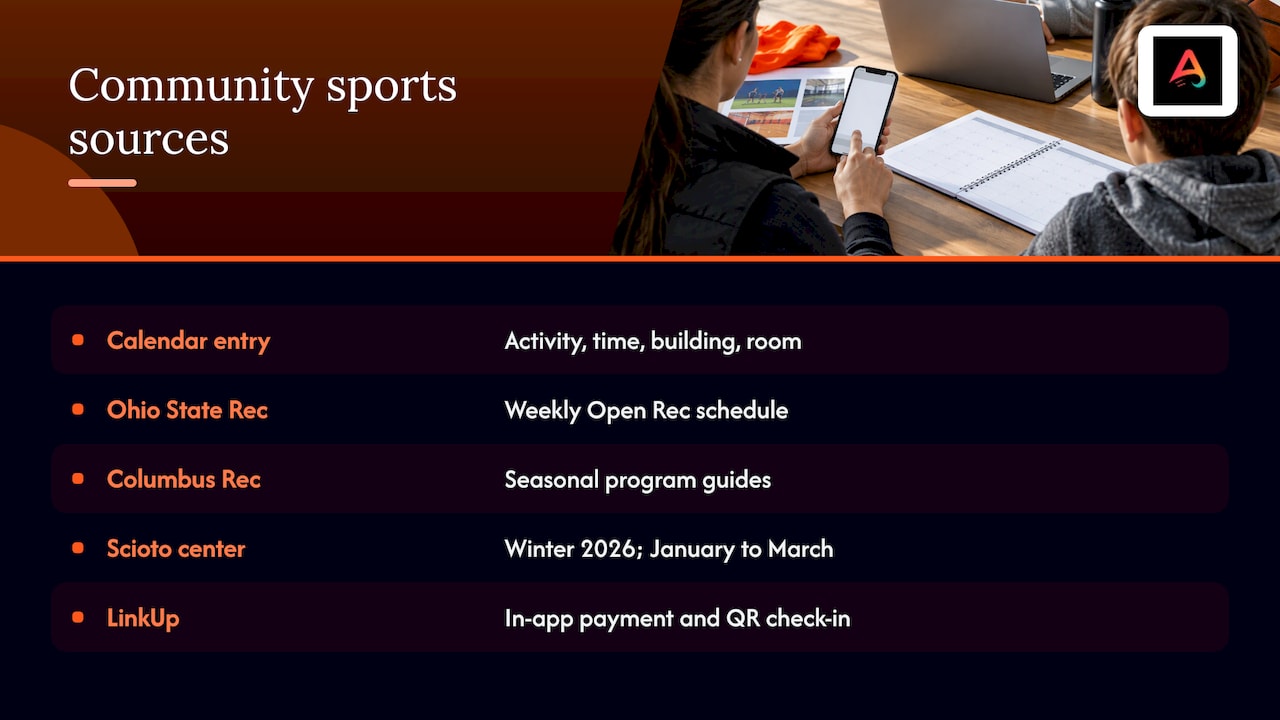
A family calendar shouldn’t stop at the official team schedule. Teens drop into open gyms, parents join rec leagues, and little ones go to city programs. Local public listings are fair game for your calendar, as long as you record the activity, time, building and room.
Columbus is a good example of how much is out there. Ohio State Recreational Sports publishes a weekly Open Rec schedule listing activities, times and locations. Columbus Recreation and Parks posts seasonal program guides too, like the Scioto center winter 2026 program document, which lists activities including youth soccer and open volleyball across a January to March run. These change by season, so check the official page for the current schedule and copy details into your calendar with the link attached.
For informal pickup, the date and location are usually the first thing to drift. When you organize games through Athlo’s LinkUp, players find and join games near them and the details sit in one place instead of in a thread. Hosts can also collect payment in-app and use QR codes to confirm who showed up.
Keeping kids’ information private
Sharing a schedule means sharing where your child will be and when. Treat it that way.
- Share with people, not with the public. In a calendar app, share with named individuals and set their permission to the lowest level that works. Google’s help page on calendar sharing permissions explains that you can set access per person or group, and that making a calendar public with event details exposes those details to anyone with the link.
- Keep full names and addresses out of event titles. “Maya soccer” works. “Maya Johnson, 123 Elm St pickup” does not.
- Don’t post live location or exact times publicly. Congratulate a win on social media after the game, not while the team is still at the field.
- Use the team’s official channel for group messages. It keeps contact details inside a roster you can see, not in a loose group of unknown numbers.
- Review who has access each season. Remove people who no longer need it, like last year’s carpool.
If you coach or run a team, Athlo’s guide to youth team chat safety covers moves that protect kids and give parents confidence.
Perspective: what we think a family calendar is really for
We built Athlo around a simple observation: most athletes and parents juggle separate apps for pickup games, team schedules, RSVPs, forms, payments, tickets, coaching and scores. The calendar isn’t the problem. The scattering is.
A shared calendar is only as good as the information feeding it. When schedules, chat, forms and attendance sit in one free app, the family calendar becomes a short list of things to confirm instead of a data-entry job. That’s why we put team management, a parent view, and LinkUp pickup games together, and why a parent can manage a child’s whole sports life from one account, with no device or account needed for the child.
Our advice, athlete to athlete: pick one owner, write entries a stranger could follow, and check them weekly. Do those three things and any tool works better. Use one hub for the sources and it works best.
Abdulazeez
One app for the sources
If your calendar is full because every team lives somewhere different, start with the sources. Athlo is free on iOS and Android, with team management, team chat, LinkUp pickup games, medical forms and waivers, event tickets with QR entry and live scores. Parents get a dedicated view, so you can follow your kid’s season without the kid needing a phone.
See what’s included on the Athlo home page, including the Free, Athlo Plus ($3.99 per month) and Athlo Pro ($7.99 per month) plans, or read our parent portal guide to see how the parent view works.
A season-start checklist you can copy
Print this or paste it into your notes:
- Find the official schedule for every team and save the link.
- Archive last season’s recurring events.
- Add all guardians and regular drivers to each team’s contact list.
- Create one color per kid in the family calendar.
- Enter the known games with arrival time, field and ride.
- Name the calendar owner.
- Set a weekly Sunday check: next seven days, rides, gear, attendance.
- Set alert types: leave-by for practices, evening-before for games.
- Review who can see the calendar.
FAQ
What’s the best way to share a sports calendar between two households?
Give both households the same access to the same calendar, with one named owner who makes changes. Add the driver and gear owner to each entry so the handoff is visible. Avoid forwarding screenshots, since they go stale as soon as a field changes.
Should kids have their own calendar?
For younger kids, no. A parent-managed calendar is simpler and keeps their details private. Teens can get view access so they know what’s coming, while an adult stays the owner. With Athlo’s parent view, a parent can handle the child’s sports life without the child needing a device or account.
How do I handle two kids with overlapping games?
Spot it early by entering the whole season’s known games at once. Then tell both coaches about the conflict as soon as you see it and ask whether a ride swap or another family carpool can cover one event. Last-minute discovery is what hurts, not the overlap itself.
How often should I update the family sports calendar?
Do a full reset at the start of each season and a ten-minute check once a week. Update changes the same day you hear about them, from the team’s official channel, so the calendar stays the version everyone trusts.
How do I keep my child’s schedule private?
Share only with named people, keep full names and addresses out of event titles, and avoid posting live locations publicly. Use the team’s official channel for group messages and review access each season.
Sources
- Recreational, Columbus Soccer Club
- Minor Athlete Abuse Prevention Policies, U.S. Center for SafeSport
- Open Rec, Ohio State Recreational Sports
- Scioto Winter 2026 programs, Columbus Recreation and Parks
- Choose what others can do with your calendar, Google Calendar Help
- Effective parent communication methods for youth coaches 2026
Ready to put the whole season in one place? Download Athlo free on the App Store or Google Play, and learn more at athloapp.com.
Recommended
- How to Follow Multiple Kids’ Sports Without the Chaos
- Parent Guide to Youth Sports Schedules Without Chaos
- Team Communication Plan for Sports: Build One That Works