3 Moves That Secure Youth Team Chat Safety for Coaches and Parents
Youth team chat safety comes down to three moves: require that any coach message to a minor is observable by another adult, post a short team code of conduct where every family can see it, and teach kids the NOPE steps (Notice, Own, Protect, Exit) so they know how to react and who to tell. Do those three things this week, and you’ve closed most of the gaps that let bullying, grooming, and privacy leaks happen in team group chats.
TL;DR:
- Limiting private messages and adding a second adult in all youth team chats drastically reduces opportunities for bullying and grooming.
- Posting a clear code of conduct and establishing rules before the season helps prevent misunderstandings and enforces proper communication boundaries.
- Teaching kids the NOPE steps—Notice, Own, Protect, Exit—and rehearsing how to block or leave bad chats increases their safety and confidence in handling risks.
- Responding to problematic messages involves securing safety first, preserving evidence, and escalating reports through official channels without forwarding or re-sharing images.
- Using team-specific platforms with parental oversight provides better control and oversight than general messaging apps that lack required safety features.
Table of Contents
- What Should Parents and Coaches Do About Team Chat Safety Right Now?
- Coach Rules and Boundaries: What SafeSport Actually Requires
- How Do You Prepare Your Kid for Group Chat Risks?
- What to Do the Moment a Chat Crosses the Line
- Settings and Tools That Actually Cut Down Risk
- Building a Team Chat Code of Conduct That Sticks
- What Youth Sports Taught Me About Chat Rules
- A Simpler Way to Keep Your Team’s Communication Organized
- Where to Go for Official Guidance and Reporting
- Sources
- FAQ
What Should Parents and Coaches Do About Team Chat Safety Right Now?
Before the season gets rolling, run through this list. None of it takes more than a few minutes, and each item closes a real gap that shows up in youth sports every year.
- Pin the rules. Post a short code of conduct at the top of every team chat so nobody can claim they didn’t see it.
- Add a parent or second adult to any chat that includes a minor. This isn’t optional under SafeSport’s digital safety guidance for coaches, which requires coach-to-athlete communication to stay open and observable.
- Turn off unrestricted direct messages for minors where the platform allows it. Fewer private one-on-one channels means fewer places for problems to hide.
- Practice the NOPE routine with your kid: Notice something’s off, Own the discomfort instead of hiding it, Protect yourself by not engaging further, Exit the conversation.
- Save emergency numbers where your kid can find them fast: 911 for immediate danger, 988 for a mental-health crisis, and the NCMEC CyberTipline for reporting exploitation or suspicious contact.
Group chats are one of the most common places kids run into bullying, unwanted sexual content, or deliberate exclusion, according to AAP guidance on group chats and middle schoolers. Most of that risk gets neutralized by adult visibility and clear expectations set before the first practice, not after something goes wrong.
Coach Rules and Boundaries: What SafeSport Actually Requires
A coach’s job is to make communication boring in the best sense: predictable, visible, and strictly about the sport. That’s not a suggestion. It’s the backbone of the U.S. Center for SafeSport’s Minor Athlete Abuse Prevention Policies (MAAPP), and clubs that ignore it are exposing coaches to accusations that a little discipline would have prevented.
Here’s what compliant communication actually looks like:
- Every message to a minor athlete includes a parent, guardian, or second staff member. No exceptions, no “just this once.”
- Team chats stay limited to logistics: practice times, game changes, gear reminders. Personal comments, jokes about appearance, or one-on-one check-ins don’t belong there.
- Coaches keep a record of who’s in each chat, when it was created, and who has admin access. If a question ever comes up, that paper trail matters.
- Clubs designate one point person for reports or concerns, and that person’s name and contact info go out to every family at registration.
- Background checks and coach training happen before the roster is finalized, not after a parent asks about it.
SafeSport’s own guidance frames this as a trust issue as much as a compliance one: when boundaries are clear from day one, there’s no gray area for a kid, a parent, or a coach to misread later.
Pro Tip: Set your team chat rules in writing before your first practice, not after your first complaint. It’s a lot easier to enforce a policy everyone agreed to than to invent one under pressure.
If you’re evaluating a new coach for your kid’s team, background checks and communication habits are two of the fastest ways to spot a red flag. Our guide on how to hire a youth coach who puts kids first walks through the specific questions to ask.
How Do You Prepare Your Kid for Group Chat Risks?
You don’t need a lecture. You need a five-minute conversation and a plan you both agree on before the season starts.
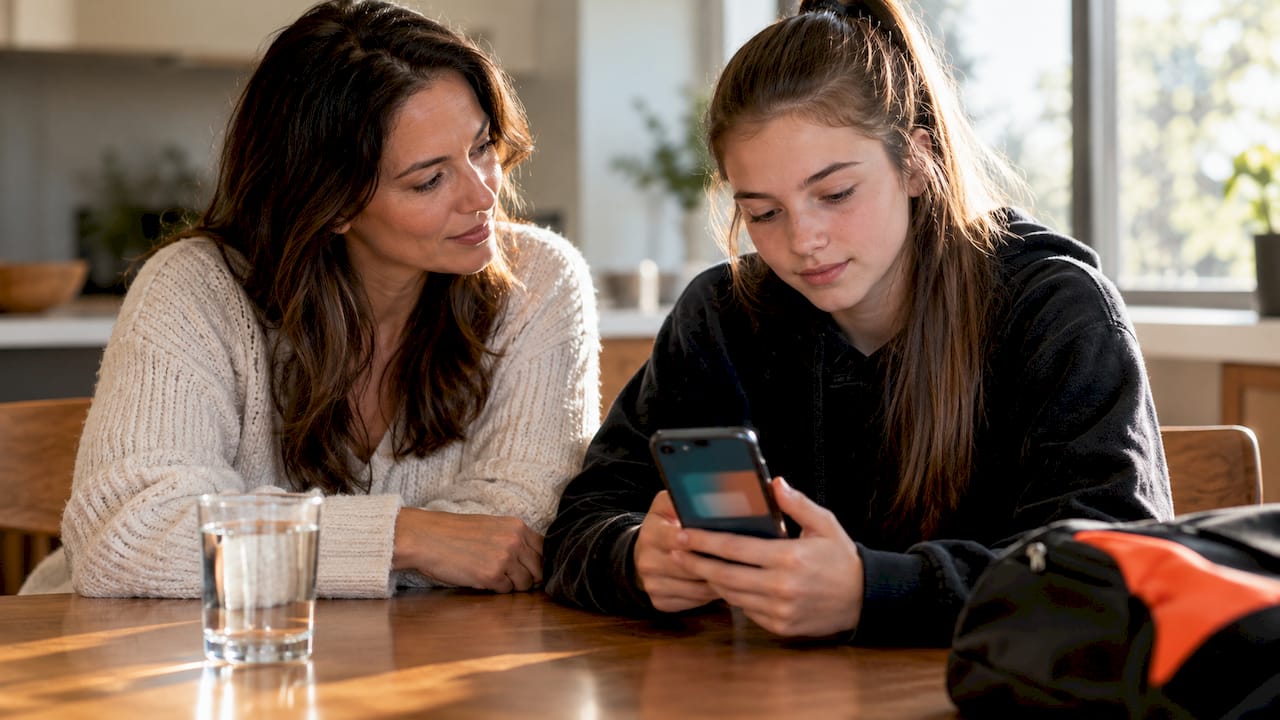
Start with something like this: “If anyone in a team chat says something that feels off, weird, or mean, you’re not in trouble for showing me. You come first, not the group chat.” That one sentence does more than any parental control setting. Kids stay quiet about bad messages mostly because they’re afraid of losing their phone, not because they don’t know it’s wrong.
Build a short family tech agreement together. It should cover:
- Who gets added to team or friend group chats, and who has final say
- Whether photos of your kid can be shared in group settings, and by whom
- Screen-time boundaries during the season versus off-season
- What happens if the agreement gets broken (a real consequence, decided in advance, not made up in the moment)
Then actually rehearse the hard parts instead of just talking about them:
- Practice blocking a contact together so it’s not a mystery in the moment.
- Walk through leaving a group chat step by step on your kid’s specific phone.
- Show them how to screenshot a message before deleting anything.
- Agree on exactly who they tell first: you, a coach, a school counselor.
This mirrors the NOPE Toolkit’s approach from the Administration for Children and Families: readiness beats reaction. A kid who’s rehearsed exiting a bad chat once is far less likely to freeze when it actually happens.
What to Do the Moment a Chat Crosses the Line
When something goes wrong in a team chat, the order of your response matters. Panic moves in the wrong order can destroy evidence or make a bad situation worse.
- Get your kid physically and emotionally safe first. Everything else waits.
- Tell them to stop responding and not delete anything, even if the messages are upsetting. Deleted evidence is evidence you can’t report.
- Reassure them out loud that this isn’t their fault. Kids often hesitate to report because they think they’ll get blamed for something.
- Take screenshots that capture usernames, timestamps, and the full thread, not just the one bad message.
- Report through the platform first, then escalate.
Here’s the reporting chain that actually works: report inside the app or platform where it happened, then file with the NCMEC CyberTipline if the content involves possible exploitation of a minor, then contact local law enforcement for anything that looks criminal. If your child is in emotional crisis, 988 connects to trained counselors immediately, and 911 is for anything urgent and physical.
One rule that trips people up: never forward or re-share an intimate image involving a minor, even to “prove” the problem to a coach or school. Sharing it, even with good intentions, can itself violate federal law. Save it privately as evidence and report it through official channels instead.
If the person involved is a coach, staff member, or another adult connected to the club, escalate to the club’s designated point person and consider a report to SafeSport directly. Clubs that take this seriously already have that reporting path written down somewhere every parent can find it.
Settings and Tools That Actually Cut Down Risk
Not every messaging platform is built with kids in mind, and the gap shows up fast once you look for it. Group texting, Slack, and general chat apps weren’t designed around the idea that a coach might need supervised, observable communication with a 12-year-old. That’s exactly why clubs run into SafeSport compliance problems when they default to whatever app is easiest.
A few settings worth checking on any platform your team actually uses:
- Supervised or teen accounts where a parent has visibility into who’s messaging their kid.
- Direct message limits, ideally off by default for minors. The NTIA’s 2024 recommendations call for exactly this: no unrestricted DMs for kids, plus supervised accounts and limits on interactive features that groom-adjacent behavior tends to exploit.
- Privacy settings that hide phone numbers and last-seen status from anyone outside the team roster.
- Screen-time or notification limits during school hours or late at night.
The FTC’s guidance on protecting kids online also flags COPPA as worth understanding if you’re choosing between platforms, since it affects what data can legally be collected from a child under 13.
When you’re picking a tool category, the real trade-off is general chat apps (flexible, familiar, but built for adults) versus team-focused platforms (built around rosters, parental oversight, and logistics instead of open-ended messaging). For anything involving a minor athlete, the second category closes more gaps by default.
Building a Team Chat Code of Conduct That Sticks
A code of conduct only works if it’s short enough that people actually read it and specific enough that nobody can argue their way around it. Six sections cover almost everything a youth team needs:
| Section | What it covers |
|---|---|
| Welcome | Purpose of the chat, who’s in it, and why |
| Scope | Logistics and sport talk only, no personal messaging |
| Photo policy | Who can post images of players and where |
| DM policy | No unsupervised one-on-one messages between coaches and minors |
| Escalation path | Who to contact if something feels wrong |
| Caregiver sign-off | A signature line confirming the parent has read and agreed |
Roll it out the same way every season: hand it out at registration, get a signature, pin the summary at the top of the chat, and revisit it every quarter so it doesn’t quietly get ignored by December.
A template like the one in Roster’s team code of conduct guide gives you a starting structure if you’d rather adapt something than write it from scratch. Our own breakdown of team chat etiquette and RSVP templates covers the wording coaches actually use when introducing these rules to families.
Several of the checklist items above map directly onto features already built into team management tools: centralized rosters instead of scattered group texts, a parental view so guardians can see communication without micromanaging it, and pinned event or RSVP details instead of buried messages. Athlo’s team management tools organize rosters and communication in one place, which is exactly the kind of visibility SafeSport’s guidance asks clubs to build toward.
What Youth Sports Taught Me About Chat Rules
Most teams don’t have a chat safety problem because parents or coaches don’t care. They have one because nobody wrote the rules down before the group chat existed, and by the time something happens, everyone’s improvising.
The clubs that get this right treat oversight the same way they treat a warmup: routine, not optional, and boring on purpose. A parent copied on every coach message isn’t a sign of distrust. It’s just what responsible communication looks like when a kid is involved. Coaches who resist that structure are usually the ones who most need it.
My honest read after digging into the SafeSport and NTIA guidance: the technical fixes matter less than the habit of talking about this stuff early and often. A kid who’s rehearsed leaving a bad chat once will handle the real version better than a kid whose parents only mentioned it after reading a headline. Set the rules this season, not next.
— Abdulazeez
A Simpler Way to Keep Your Team’s Communication Organized
Most of the chat safety problems in this article trace back to the same root cause: teams default to whatever messaging app is easiest, and that app was never built with rosters, parental oversight, or minors in mind. Athlo gives coaches and parents a team-specific alternative, where communication lives alongside the roster, schedule, and event details instead of in an open-ended group text nobody’s watching.

With Athlo’s team management tools, coaches can centralize rosters and keep families looped in without relying on a generic chat app that offers no real oversight. The parental view built into Athlo’s youth sports features lets guardians stay informed on their kid’s team activity without hovering over every message. And for teams running paid events, QR-based event ticketing keeps entry and payments contained inside the same app your families already trust for schedules and scores.
If your team is still coordinating through a scattered mix of texts and group chats, download Athlo on the App Store or Google Play and set up your roster before your next practice.
Where to Go for Official Guidance and Reporting
These are the sources worth bookmarking, not just reading once:
- U.S. Center for SafeSport: the governing standard for coach-to-athlete communication and MAAPP compliance.
- American Academy of Pediatrics: pediatric guidance on group chat risks and family conversation strategies.
- NCMEC CyberTipline: the official channel for reporting suspected child exploitation online.
- NTIA: federal recommendations on platform settings that protect minors.
- Federal Trade Commission: consumer guidance on kids’ online privacy and COPPA.
- 988: the Suicide and Crisis Lifeline for any mental-health emergency.
- 911: for immediate physical danger.
Sources
- Digital Safety for Coaches | U.S. Center for SafeSport
- NOPE Toolkit: Readiness and Online Safety Skills for Families | Administration for Children & Families
- Recommended practices for industry | NTIA (Kids online health and safety report, 2024)
- Group Chats and Middle Schoolers: Risks, Readiness, and Parent Guidance | AAP
FAQ
Should I Let My 10-Year-Old Have WhatsApp?
Most safety guidance recommends holding off on open-ended messaging apps like WhatsApp for kids under 13, since they typically lack the supervised-account and DM-limit features NTIA recommends for minors. A team-focused platform with parental visibility is a safer starting point for sports communication specifically.
What Are the Rules for Group Chats at School or on a Sports Team?
The core rules are the same everywhere: keep an adult visible in any chat involving minors, limit content to logistics, and put expectations in writing before the chat starts. SafeSport’s guidance requires coach communication with athletes to be observable, and most school and club policies borrow the same principle.
What Are Some Safety Tips for Online Chats?
Teach kids the NOPE steps (Notice, Own, Protect, Exit), keep DMs limited or off for minors, and save evidence instead of deleting a bad message. The NOPE Toolkit gives families a practice-based framework rather than a one-time lecture.
What Is the Safest Chat App for Kids?
There’s no single “safest” app, but the safer category is platforms built around supervised accounts, parental visibility, and limited or disabled DMs by default rather than general-purpose texting or chat apps. Team management tools like Athlo’s youth sports features add roster-based oversight that generic messaging apps don’t offer.
How Do I Report a Concerning Message in a Youth Team Chat?
Report it on the platform first, then file with the NCMEC CyberTipline if it involves possible exploitation, and contact local law enforcement for anything criminal. Call 988 if your child is in emotional distress, or 911 for immediate danger.