Put safety and clarity first: never message a minor one-on-one, use an announcements channel for logistics, and save the trash talk for a separate social thread. Follow the 24-hour rule before venting about playing time or a bad call. Set your channel roles today, and pin one message with clear RSVP instructions so nobody has to scroll through 40 texts to find practice time.
TL;DR:
- Clear chat structure with separate channels for announcements, logistics, and social interactions reduces confusion and prevents schedule misses.
- Mandatory inclusion of a parent or adult in all messaging with minors and the 24-hour wait rule for hot topics protect minors and reduce heated disputes.
- Enforcement authority must be assigned to a specific individual to mute, warn, or remove members, supported by a written code of conduct and pre-season consent forms.
- Using reply-based RSVPs with deadlines and pinning schedule updates keeps responses organized and accessible, minimizing lost information.
- Teams that implement fixed rules and a well-defined escalation path experience fewer conflicts, with most issues arising from structural communication failures.
Table of Contents
- What Is Team Chat Etiquette, and Why Does It Matter?
- Core Rules Every Team Should Adopt
- Setting Up Channels That Actually Work
- Who Should Message What, and When?
- Moderation and Privacy: A Preseason Checklist
- Copy-Ready Message Templates
- What This Guide Gets Right That Most Teams Ignore
- A Sports App That Handles the Structure for You
- Sources
- FAQ
What Is Team Chat Etiquette, and Why Does It Matter?
Team chat etiquette is the set of rules that keeps a group text from turning into a safety risk or a daily headache. For youth and high-school sports, it means two things at once: protecting kids from inappropriate contact, and keeping the actual logistics (practice times, cancellations, lineups) easy to find. Most teams skip the first part until something goes wrong, and skip the second part until parents start missing games because the info got buried under 60 replies about pizza.
The safeguarding piece isn’t optional guidance. Coaches should avoid one-on-one digital messaging with minors entirely; any communication needs to be open and include a parent or another adult, according to NFHS guidance on communication with minor athletes. Here’s how to build both into your team’s actual chat setup.
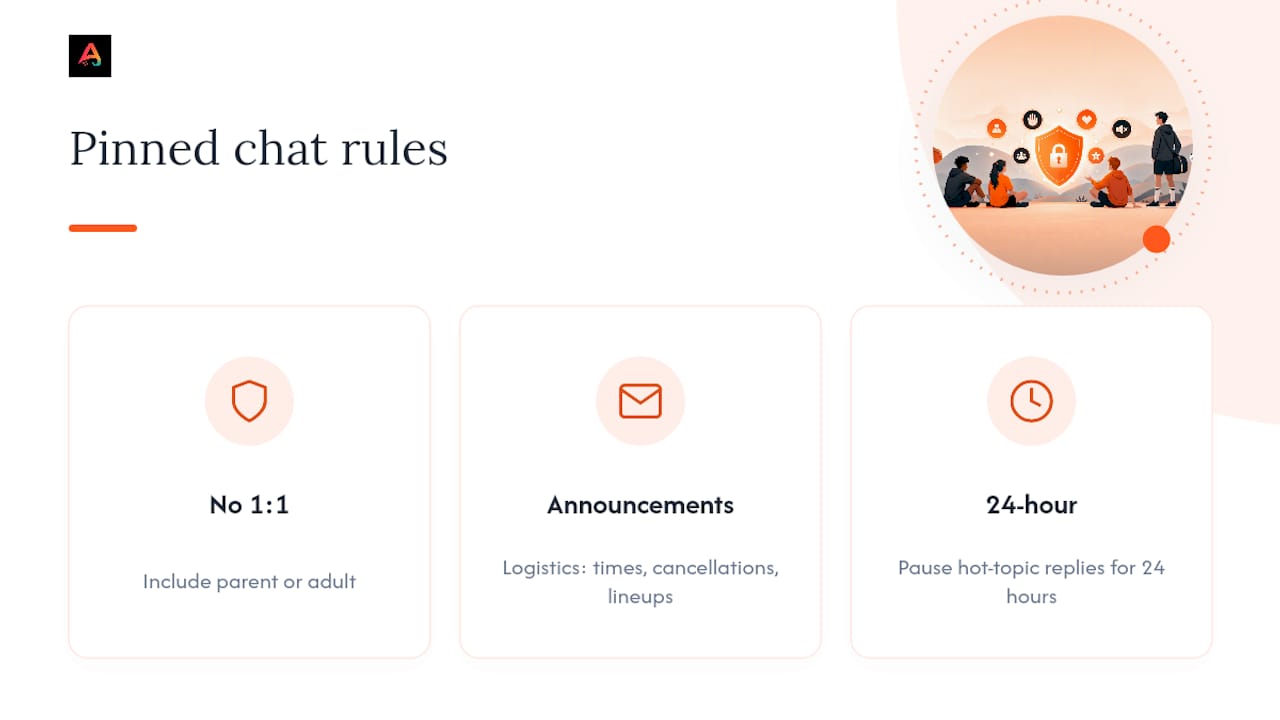
Pro Tip: If your league doesn’t have a written communication policy yet, don’t wait for the district to write one. A single pinned message with three rules (no 1:1 messaging with minors, announcements channel for logistics only, 24-hour rule for hot topics) covers most of what leagues eventually formalize anyway.
Core Rules Every Team Should Adopt
Every roster, from U8 rec soccer to varsity football, needs the same backbone. Skip these and you’re rebuilding trust after an incident instead of preventing one.
- No private coach-to-minor messaging. Communication should always be visible to a parent or another adult, per MAAPP and NFHS safeguarding rules.
- Written code of conduct. Leagues like Killeen Recreation Services publish youth sports manuals spelling out consequences, from warnings to suspensions, for abusive chat behavior. Copy the structure even if you’re a small rec team.
- The 24-hour rule. Wait a full day before messaging about playing time, officiating, or a coaching decision. South Side Youth Soccer’s communication policy builds this in explicitly, and it cuts down on complaints filed in the heat of the moment.
- Clear enforcement. Someone (coach, team manager, league admin) needs authority to mute, remove, or warn a chat member without a committee vote first.
The 24-hour rule isn’t about avoiding conflict. It’s about making sure the conflict, when it happens, is about the actual issue and not about someone’s 11pm frustration text.
Setting Up Channels That Actually Work
Structure beats good intentions every time. Here’s a setup that holds up over a full season:
- Announcements channel, admin-only. Practice times, cancellations, lineup notes. Nobody replies here except with an RSVP.
- Logistics/availability thread. Where players and parents confirm attendance or flag conflicts.
- Optional social channel. Banter, memes, “great game Saturday” energy. Completely separate from anything time-sensitive.
Use real RSVP wording (“Reply YES/NO/MAYBE by Thursday 6pm”) instead of counting thumbs-up emoji, which get lost fast in a 20-person thread. Pin the current week’s schedule as a single message and edit it when things change, rather than burying updates six replies deep. Club communication guides that separate announcements from social chat report immediate drops in missed updates.
A few more rules worth setting on day one:
- Get consent before posting photos of kids, even in a “just the team” chat.
- Set quiet hours (no messages after 8 or 9pm for younger age groups).
- Skip broadcasting personal phone numbers. Route contact through the team app or a shared roster instead, and check our guide to parenting through youth sports schedules for more on keeping logistics simple without oversharing.
Who Should Message What, and When?
Confusion about roles is where most chat drama starts. Here’s the breakdown by role.
Coaches:
- Post official info only in the announcements channel.
- Never DM a minor directly. Route it through a parent or copy another adult.
- Keep tone neutral. Save feedback on individual performance for in-person conversation, not group text.
Parents:
- Wait 24 hours before raising anything emotionally charged, per the SSYS communication policy.
- Send concerns to the coach first, then a team coordinator, then a league director if unresolved, a staged path several league handbooks formalize with concern forms.
- Model the sportsmanship you want your kid learning. The chat is watched more than you think.
Players (especially high schoolers running their own group texts):
- Keep chat hours reasonable, no 1am roster arguments before a morning tournament.
- Treat teammates the way you’d want to be treated if you missed the play.
Pro Tip: Print the escalation path (coach → coordinator → director) and pin it in the announcements channel. Half of all “who do I even talk to about this” texts disappear once people know the order.
Our parent involvement guide covers this same escalation logic in more depth if you’re building a policy from scratch.
Moderation and Privacy: A Preseason Checklist
Most chat problems get solved before the season even starts, not after. Sport Integrity guidance recommends at least two adults present in any chat involving minors, never a single adult contacting a kid directly.
Run this before week one:
- Collect signed parental consent forms covering photo sharing and contact info before the season starts.
- Publish your chat policy in writing (even a one-page PDF works) and require an acknowledgment.
- Appoint one welfare contact or moderator by name, not “someone on the board.”
One thing leagues consistently get right: proactive moderation, meaning a named welfare officer plus preseason consent forms, prevents most issues before they start and gives the league a real audit trail if something does go wrong, a pattern that shows up across handbooks like Killeen’s.
Ongoing, spot-check shared photo galleries, archive old season chats instead of deleting them, and enforce your stated warning/suspension steps consistently. If you’re unsure what a consent form actually needs to cover, our breakdown of what a youth sports waiver protects you from is a useful starting point. Document any safeguarding concern in writing the same day it happens, not from memory a week later.
Copy-Ready Message Templates
Steal these wholesale. They’re built to prevent the exact confusion that turns into a 40-reply thread.
- Practice announcement: “Practice Thursday 5:30pm at Field 2. Bring cleats and water. Reply YES/NO by Wednesday 8pm.” Pin it.
- Cancellation: Edit the original pinned message and add “CANCELED” at the top, then post once: “Practice canceled today, weather. Makeup TBD.” Don’t bury it in a reply chain.
- Lineup/roster change: “Starting lineup posted in [team folder]. Questions go to Coach directly, not the group chat.”
- RSVP request: “Saturday’s game, 10am. Reply YES, NO, or MAYBE by Friday noon so we can set the roster.”
- Reporting a concern: “If you have a concern about a coach, teammate, or something in the chat, message [parent contact/welfare officer] directly rather than posting here.”
Keep every template boring on purpose. Boring means nobody can misread it.
What This Guide Gets Right That Most Teams Ignore
Here’s what surprised me putting this together: the teams with the calmest chats aren’t the ones with the strictest coaches. They’re the ones with the clearest channel structure. Confusion, not conflict, is the root cause of most bad chat behavior. Parents don’t send angry texts because they’re difficult people; they send them because they can’t find the practice time and nobody answered their last three messages.
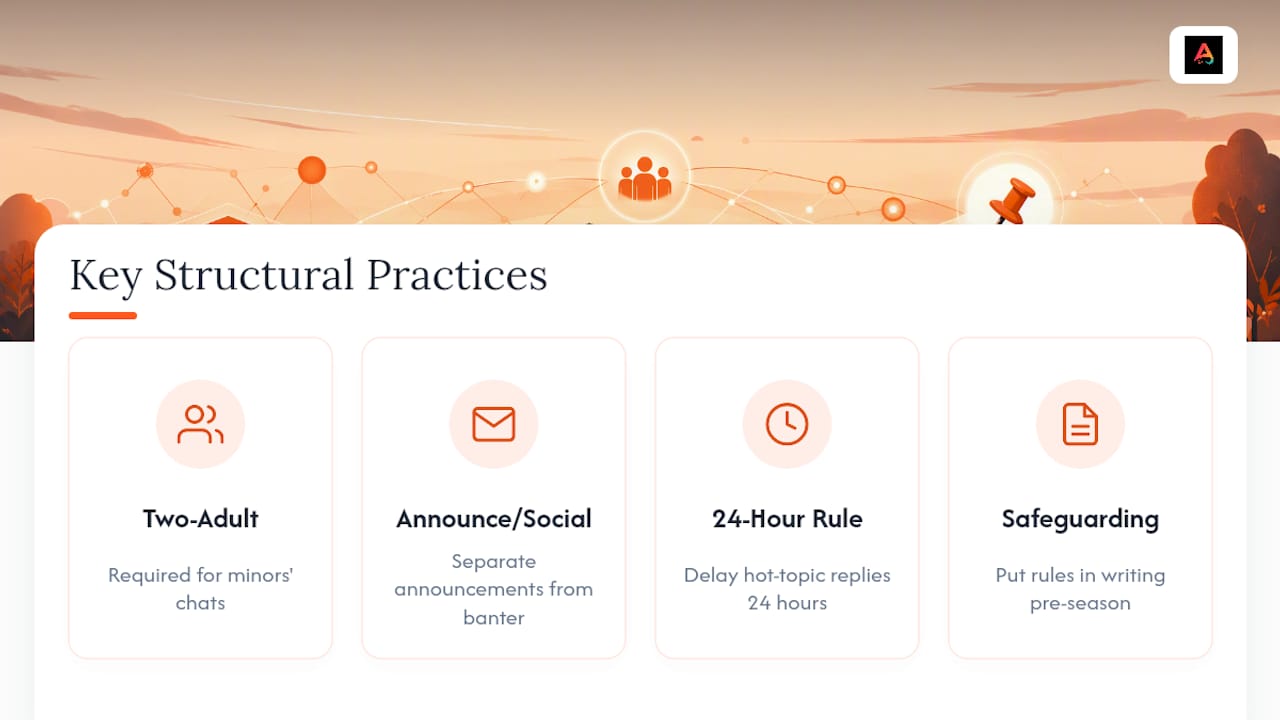
Conventional advice treats team chat etiquette as a manners problem, “be nice, don’t overshare.” That’s backwards. The manners problem mostly disappears once the structure problem is solved: separate the announcements from the banter, apply the 24-hour rule to hot topics, and put safeguarding rules in writing before the season starts, not after an incident forces your hand.
If you’re building a policy from scratch, don’t start with tone guidelines. Start with the two-adult rule for minors and the announcements/social split. Everything else, including the templates and the escalation path, exists to support those two structural decisions. Get those right and most of the “etiquette” problems solve themselves.
— Abdulazeez
A Sports App That Handles the Structure for You
Group texts weren’t built for rosters, RSVPs, and safeguarding rules, they were built for group vacations. Athlo gives your team that structure natively: group and match chats stay tied to your roster, RSVP tracking replaces the emoji guessing game, and the parental view lets a parent see what’s happening without needing to be added to every private thread. If your team also runs pickup games, LinkUp handles RSVP and QR-ticketed check-in so you’re not tracking attendance in a separate spreadsheet.
For coaches juggling payments on top of communication, Athlo’s coaching marketplace adds secure booking without mixing money talk into the team chat. Set up your team on Athloapp, download Athlo free on the App Store or Google Play, and get your first announcement pinned before your next practice.
Sources
- NFHS — Rules & guidelines on communication with minor athletes
- SSYS Communication Policy — communication policy and 24-hour rule example
- Killeen Recreation Services — Youth Sports Manual (Code of Conduct examples)
FAQ
What Is the 24-Hour Rule in Team Chats?
It means waiting at least a day before messaging about emotionally charged topics like playing time or officiating, a practice several league communication policies formally adopt to keep conversations productive.
Can a Coach Message a Player Directly?
No. Coaches should never message a minor one-on-one; communications need to include a parent or another adult, per NFHS safeguarding guidelines.
Should Announcements and Social Chat Be in the Same Thread?
No. Keep an admin-only announcements channel for logistics and a separate optional channel for banter, since mixing the two is the top reason schedule changes get missed.
How Do You Handle RSVPs Without Losing Track?
Use a clear yes/no/maybe reply format with a deadline instead of emoji reactions. Apps like Athlo build RSVP tracking directly into group chats so responses don’t get lost in a long thread.
Who Enforces Team Chat Rules?
A named coach, team manager, or league moderator needs explicit authority to warn, mute, or remove someone, backed by a written code of conduct like the ones in Killeen’s youth sports manual.
Recommended
- Parent Guide to Youth Sports Schedules Without Chaos
- What a Youth Sports Waiver Actually Protects You From
- How to Run a Youth Sports Tournament: A Director’s Playbook