QR Tickets and Auto Waitlists Secure High School Pickup Game Check In
The fastest pickup game check-in is simple: RSVP in the app before you leave the house, confirm your payment if the run costs money, then either scan your QR ticket or tap “I’m here” the moment you show up. Organizers make that possible by publishing a hard capacity number, turning on automatic waitlists, sending reminders with directions, and using QR scanning or a live attendee list to log who actually showed up.
TL;DR:
- Automatic waitlist promotion and clear capacity limits minimize last-minute no-shows and ensure the game stays full or properly canceled if participant numbers drop below minimum thresholds.
- RSVP and payment confirmation should be done 24 hours to two hours before the game, with directions including specific landmarks to avoid confusion, especially if venue changes occur last-minute.
- Using QR ticketed entry for paid games provides accurate reconciliation, while one-tap check-in suffices for free, casual runs, and manual check-in remains a backup in case of technical issues.
- Requiring in-app cancellations and tracking attendance history help manage no-shows effectively and prioritize reliable players for future games.
- Secure handling of personal and payment data is essential, with apps like Athlo offering integrated platforms that protect sensitive information and simplify event setup, reminders, and real-time communication.
Table of Contents
- Player and Organizer Checklist Before Game Time
- How Organizers Should Set Up a Pickup Game for Smooth Check-In
- QR Check-In vs. One-Tap Arrival vs. Manual Roster: Which One to Use
- Handling No-Shows, Late Arrivals, and Pickup Etiquette
- Reminders, Directions, and Confirming Who Actually Showed Up
- Data Privacy and Security for Player Information
- Calendar and Messaging App Integrations Worth Using
- Managing Last-Minute Player Substitutions
- Real-Time Communication Tools for Game-Day Organizers
- A Quick Walkthrough: Running Check-In From an Organizer’s Chair
- How Athlo Handles Check-In So You Don’t Have To
- Useful Resources for Setting Up Your Next Pickup Game
- Sources
- FAQ
Player and Organizer Checklist Before Game Time
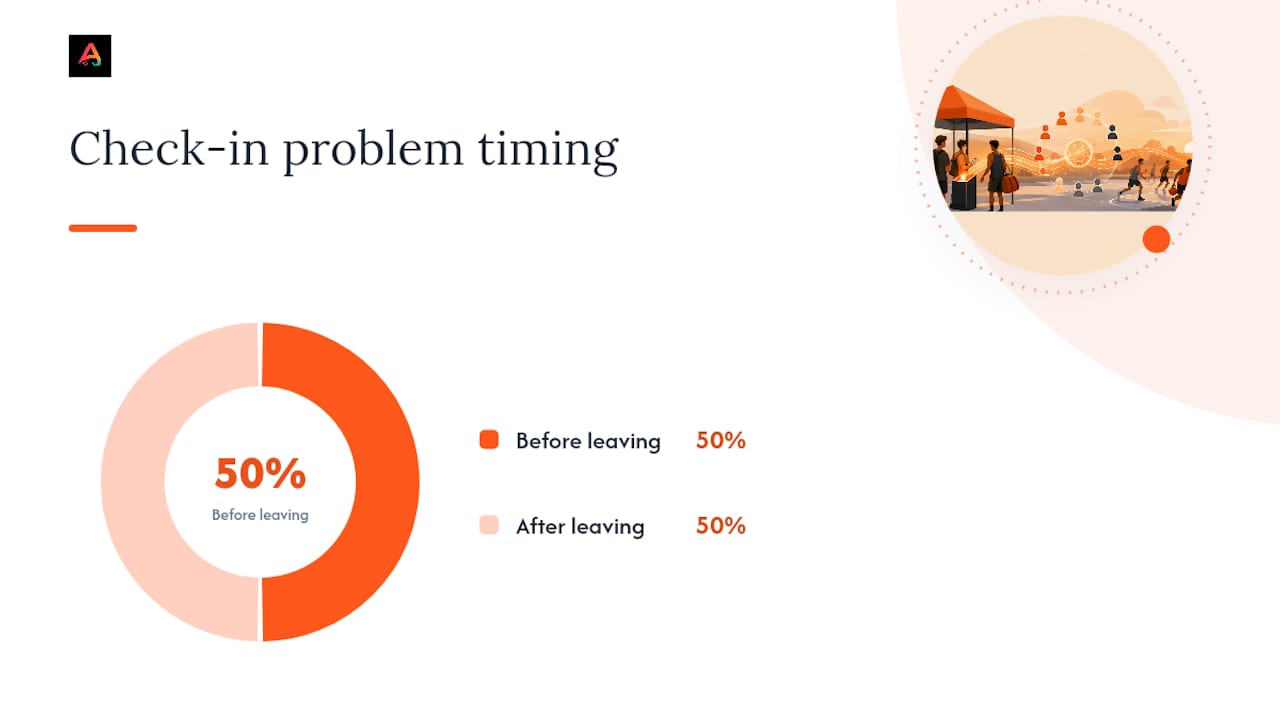
Half of check-in problems happen before anyone even leaves for the court. A missed RSVP, a dead phone, or a wrong address turns a simple pickup run into a group chat full of “where is everyone” texts.
Players, do this 24 to 2 hours out:
- RSVP in the app so the organizer has a real headcount, not a guess
- Confirm your payment went through, or screenshot the receipt as backup
- Check the map pin and drop it into your GPS app before you leave
- Turn on notifications so you catch cancellation or time-change alerts
- Charge your phone. A dead battery means no QR code, no directions, no excuse
- Save your QR ticket or wallet pass somewhere you can find it in three seconds, not thirty
Organizers, do this before the first player arrives:
- Confirm your minimum player count and decide if you’re auto-canceling below it
- Verify who has actually paid versus who just tapped “join”
- Prep your QR scanner or a printed backup roster in case the app hiccups
- Test the venue pin yourself. A pin dropped on the wrong side of a park ruins the night
- Set reminders at 24 hours and again at 2 hours before kickoff
Pro Tip: Automated reminders sent at 24 hours and again at 2 hours before game time consistently cut down on last-second no-shows, mostly because they catch people before they’ve made other plans, not after.
Waitlists do a lot of quiet work here too. When a player drops, an automated waitlist can promote the next person in line and notify them immediately, so you’re not manually texting your group chat trying to fill a slot ten minutes before tip-off.
How Organizers Should Set Up a Pickup Game for Smooth Check-In
Good check-in starts with good setup. If you build the event right, check-in basically runs itself.
- Set your capacity and minimum threshold. Something like “10 max, 8 minimum” gives you room to plan while protecting against a half-empty court. Decide your cancellation rule now, not when three people bail an hour before.
- Turn on automatic waitlist promotion. Event pages with automatic waitlists fill open spots and notify the next player without you lifting a finger.
- Lock in payments before kickoff. Require in-app payment for paid runs or mark the event free and skip this step entirely. If you’re collecting money, an app with escrow and refund handling saves you from becoming everyone’s personal Venmo tracker.
- Drop an exact pin and a landmark. “Meet by the north hoop, not the south one” beats a vague park name every time. Schedule your reminders at 24 hours and 2 hours out.
- Assign check-in permissions and test it. If you’ve got a co-organizer, give them scanning access ahead of time. Run a test scan on your own ticket before anyone shows up.
Pro Tip: Test your QR scanner the night before, not five minutes before the game. Outdoor courts have brutal Wi-Fi, and you don’t want to discover that at check-in.
Clear rules on capacity, minimums, and refunds don’t just prevent chaos. They’re what turns a random pickup run into a game people actually trust enough to show up for week after week.
QR Check-In vs. One-Tap Arrival vs. Manual Roster: Which One to Use
There are three real ways to check players in, and picking the right one depends on whether money and reliability are on the line or it’s just a casual Tuesday run.
QR or ticketed entry works like this: the player opens their QR ticket or wallet pass, and the organizer scans it or checks it visually against the roster. Ticketed check-in with a mobile-friendly attendee list is the standard for anything involving payment, because it gives you an instant, reconcilable record of who paid and who showed up.
One-tap “I’m here” check-in is faster and lower-stakes. The player taps arrival inside the app, and the organizer watches the attendee list update live. This works great for free, recurring runs where everyone already knows and trusts each other.
Manual check-in is your backup, not your primary plan. The host searches the roster by name, marks arrivals, and records any cash payments by hand. It’s slower, but it’s the move when scanning fails or the court has zero signal.
| Method | Best for | Speed | Payment tracking |
|---|---|---|---|
| QR / ticketed entry | Paid or high-stakes games | Fast | Excellent |
| One-tap “I’m here” | Casual, free runs | Fastest | None |
| Manual roster check | Backup, small community games | Slowest | Manual only |
Live maps with one-tap join and visible spots-left counts also cut down on the guesswork before anyone even arrives, since players can see exactly how full a game is before committing.
Handling No-Shows, Late Arrivals, and Pickup Etiquette
No-shows are the single biggest thing that kills recurring pickup games. Handle them with structure, not frustration.
Tracking attendance history lets you quietly favor players who actually show up when slots are tight. It’s not about punishing people, it’s about protecting the run for everyone who keeps their word.
- Set a short grace period, around 10 minutes, before you promote a waitlist player into an open spot
- Tie your refund policy to the minimum player count so cancellations don’t leave you covering costs
- Require cancellations through the app, not a text to the group chat, so the waitlist actually updates
- Arrive 5 to 10 minutes early with payment ready and follow the host’s check-in instructions
Pro Tip: If a player no-shows twice in a row without canceling, that’s your cue to bump their priority for the next run. One miss happens. Two is a pattern.
Good pickup etiquette isn’t complicated: show up early, have your payment ready, and confirm your spot if the host asks. It’s the difference between a game people want to come back to and one that quietly falls apart after a month.
Reminders, Directions, and Confirming Who Actually Showed Up
A reminder that goes out too early gets ignored. One that goes out too late doesn’t give players time to adjust plans. The 24-hour and 2-hour window works because it hits people while they can still act on it, whether that’s leaving early or canceling in time for someone else to grab the spot.
Directions matter more than most organizers think. A pin dropped in the middle of a 40-acre park with six different courts is basically useless. Include a specific landmark, “the court closest to the tennis lot,” not just a general address.
Arrival verification is where organizers separate real attendance from wishful thinking. An RSVP tells you who planned to come. A QR scan or an “I’m here” tap tells you who actually did. That gap between intent and arrival is exactly why attendance tracking matters if you’re running the same game weekly and want to know who to count on.
Weather changes and last-second venue swaps are the other reason directions need to update in real time. If a field gets rained out and you move to a backup gym, that update has to reach every RSVP’d player instantly, not just the ones who happen to check the group chat.
Data Privacy and Security for Player Information
Pickup games collect more personal information than people realize: names, phone numbers, payment details, sometimes medical or emergency contact info for youth athletes. That data needs real protection, not a shared spreadsheet sitting in someone’s email.
Payment information should never live in a plain text thread or a screenshot passed around a group chat. Apps that process payments through secure, escrowed transactions keep card and bank details off the organizer’s radar entirely, since the platform handles the transaction rather than the individual host.
For youth and high-school athletes specifically, parents should expect any app collecting medical forms, waivers, or emergency contacts to keep that information restricted to authorized coaches and organizers, not visible to every player on the roster. If you’re an organizer collecting this kind of information manually, on paper or in a shared doc, that’s the exact scenario where a breach becomes a real problem instead of a hypothetical one.
Before joining any pickup platform, check who can see your attendance history, your payment status, and your contact info. A reasonable app limits that visibility to the organizer running the specific event you joined, not the entire user base.
Calendar and Messaging App Integrations Worth Using
Your pickup game shouldn’t live in five different places. If your RSVP confirmation is in one app, the reminder is a text, and the group discussion is happening in a separate messaging thread, something’s going to get missed.
Calendar sync matters most for recurring games. Once you RSVP, the event should be able to drop straight into your phone’s native calendar with the correct time, location, and any updates synced automatically if the organizer changes something. That beats manually re-entering a Tuesday night run every single week.
Messaging integration solves a different problem: the pre-game chatter that used to flood group texts. Questions like “is this still happening” or “who’s bringing the ball” are common enough that having them inside the same app as the RSVP and check-in keeps everything in one thread instead of scattered across three platforms.
The practical test for any integration is simple: does it reduce the number of apps you have to check before a game, or does it just add another notification to ignore? If a calendar sync or messaging tool doesn’t cut down your mental checklist, it’s not actually solving the problem it claims to.
Managing Last-Minute Player Substitutions
Someone always drops out. The question is whether that leaves you short a player or whether the system fills the gap without you doing anything.
This is where a functioning waitlist earns its keep. When a confirmed player cancels through the app, rather than a last-second text, the next waitlisted player should get an automatic notification and a chance to claim the open spot. That’s a meaningfully different experience than an organizer scrambling to text five people at 6:45 for a 7:00 game.
The failure point is almost always the cancellation happening outside the app. A player who texts the organizer directly instead of canceling in-app leaves the roster technically full while the spot sits empty. That’s on the organizer to catch, and it’s exactly why requiring in-app cancellations matters more than it sounds like it should.
For organizers running larger games, having a short list of “reliable subs,” players with strong attendance history who’ve said they’re open to last-minute call-ups, gives you a manual backup when the waitlist runs dry. It’s not automated, but it’s fast, and it beats standing on a half-empty court explaining why the game’s getting canceled.
Real-Time Communication Tools for Game-Day Organizers
Once players are checked in and the game starts, communication needs shift from “who’s coming” to “what’s happening right now.” A field change, a delayed start, or an early wrap-up all need to reach the group instantly.
In-app group chats tied to the specific event work better than a general text thread because they’re scoped to exactly the people who checked in for that run, not your entire contact list. That matters when you need to send a message like “moving to court 2, ours is wet” and want every current player to see it immediately.
Push notifications matter more than chat for anything time-sensitive. A message sitting in a chat thread might not get opened for twenty minutes. A push alert reaches someone’s lock screen the second it’s sent, which is the difference between a smooth adjustment and half your players standing on the wrong field.
Organizers running paid games also need a fast way to flag issues in real time, a player who never paid, someone claiming a refund, a dispute over a no-show call. Having that conversation happen inside the same platform that handled the payment keeps the paper trail intact instead of scattered across texts nobody can find later.
A Quick Walkthrough: Running Check-In From an Organizer’s Chair
Sixty minutes before the game, confirm every payment cleared and check that your equipment’s actually in the trunk. Twenty minutes out, open your QR scanner or attendee app and get it ready by the entrance. At game time, scan tickets or mark names as people walk up, and let the waitlist auto-promote anyone who dropped.
After the whistle, reconcile any outstanding refunds and log no-shows while it’s still fresh.
Three problems come up constantly. Wrong venue pin: fire off updated directions immediately, don’t wait for people to ask. Player no-show: pull straight from the waitlist instead of scrambling. Scanner not cooperating: switch to your printed backup roster and keep moving. None of these should stop the game.
— Abdulazeez
How Athlo Handles Check-In So You Don’t Have To
Some apps consolidate RSVPs, payments, reminders, and QR check-in for pickup games to avoid juggling multiple platforms. 
Through LinkUp, organizers publish a game with a real capacity number, automatic waitlist promotion, and directions that update if the venue changes. Players RSVP, pay through the app’s secure system, and get a QR ticket that works as their entry pass, no separate wallet app required. Reminders go out ahead of game time automatically, so you’re not the one sending “don’t forget” texts to twelve people.
If you’re running or paying for coaching sessions alongside your pickup games, Athlo’s coaching marketplace handles that the same way, through the same account.
Download Athlo on the App Store or Google Play and set up your next pickup run in a few minutes.
Useful Resources for Setting Up Your Next Pickup Game
If you’re building out your first recurring pickup run, a few practical guides are worth a read. Athlo’s own blog covers how to organize a pickup soccer game that actually happens and how to host a paid pickup game without the headaches, both aimed directly at the setup problems covered above.
For attendance and accountability angles, the two-day rule on breaking streaks in pairs offers a useful behavioral lens on why consistent no-shows matter more than a single missed game. And if you’re weighing safety protocols for contact sports before you publish an event, this breakdown of contact-sport safety considerations is a solid starting point.
Sources
FAQ
How Do I Check In to a Pickup Game?
RSVP in the app ahead of time, confirm your payment went through if the game costs money, and either scan your QR ticket or tap “I’m here” when you arrive. If the app isn’t working, tell the organizer your name so they can mark you present manually.
What Happens if a Game Fills Up?
You get added to the waitlist, and automatic waitlist promotion moves you into an open spot the moment someone cancels through the app. You’ll get a notification the second you’re in, so keep your alerts turned on.
Can I Get a Refund if I Cancel Last Minute?
That depends on the organizer’s refund policy, which is usually tied to the game’s minimum player count. Canceling through the app instead of texting the host gives you the best shot at a refund and immediately opens your spot for a waitlisted player.
Does Athlo Handle Pickup Game Payments and QR Check-In?
Yes. Athlo’s LinkUp feature lets organizers publish pickup games with capacity limits, automatic waitlists, and QR-ticketed entry, with payments processed securely inside the app. Current pricing and plan details are available on Athloapp.
What Should I Do if the QR Scanner Isn’t Working?
Switch to a manual check-in immediately, either a printed roster or the app’s attendee list, and mark names as people arrive. It’s slower than scanning, but it keeps the game moving instead of stalling at the gate.